In the previous post, we explored how AI can assist in the development process by generating code snippets and providing suggestions. In this second part, we will take it a step further by implementing a real-life feature using Spec Driven Development with the help of AI tooling.
Introduction
While the first experiment was promising, it was mainly focused and limited to generating code snippets and unit tests. I wanted to see how AI could assist in a more comprehensive development process, using real-life examples. For this experiment, I chose two new enhancements planned for the Medical Devices Template solution. For the first one, which was the simplest, I used the traditional approach of just writing the prompt I thought would be best for the task. For the second one, which was more complex, I used a more structured approach, following the Spec Driven Development methodology, which I will explain in more detail later.
ℹ️ Medical Devices Template
For more information about the Medical Devices Template and its features, please check Critical Manufacturing’s Documentation Portal: User Guide and Tutorials.
Regarding tooling, I used GitHub Copilot CLI with an enterprise account. This tool allows you to interact with GitHub Copilot directly from the command line, making it easier to integrate AI assistance into your development workflow. The look and feel and commands are very similar to the ones you can find on Claude Code.
Enhancement 1: Fixing a Bug in the Installation
The first enhancement was to fix a bug in the installation process of the Medical Devices Template. In the current development cycle (not yet released), we are extending the Continuous Flows feature to support materials sent to Rework, by supporting a new In Rework rank.
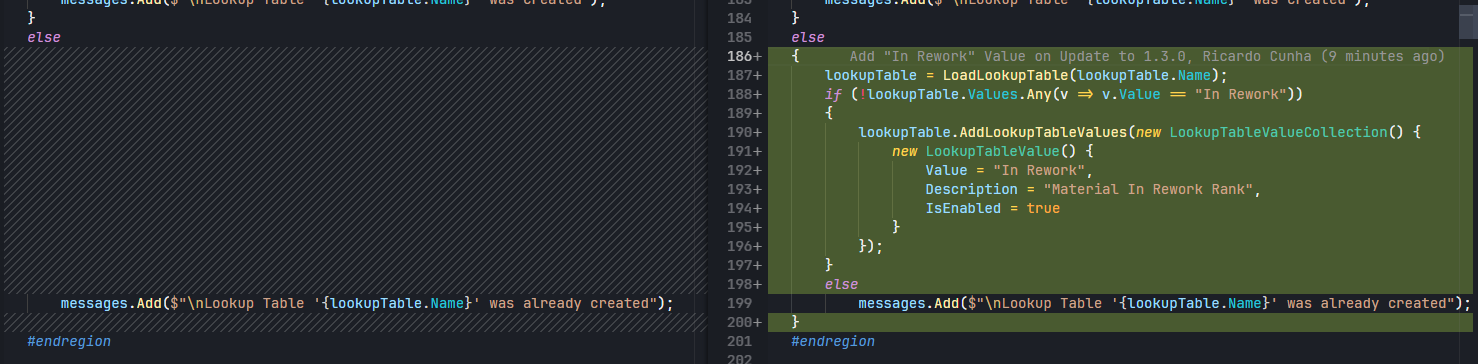
The issue was that the installation process rule was not properly handling scenarios where a previous version of the MedDev Template was already installed. In those cases, the installation process was not creating the In Rework rank, resulting in an inconsistent state of the system.
Since the fix was relatively simple, I decided to use the traditional approach of just writing a prompt that I thought would be best for the task. I provided the AI with the necessary context (including the actual file) about the issue and asked it to generate the code to fix the bug.

ℹ️ Accessing the framework
You can see on the prompt I am referring to the location of the CM Framework source code. I wanted to ensure that the AI had access to the relevant code, if required, and could understand the context of the issue.
The log generated by Copilot CLI is shown below. As you can see, the AI was able to understand the context.
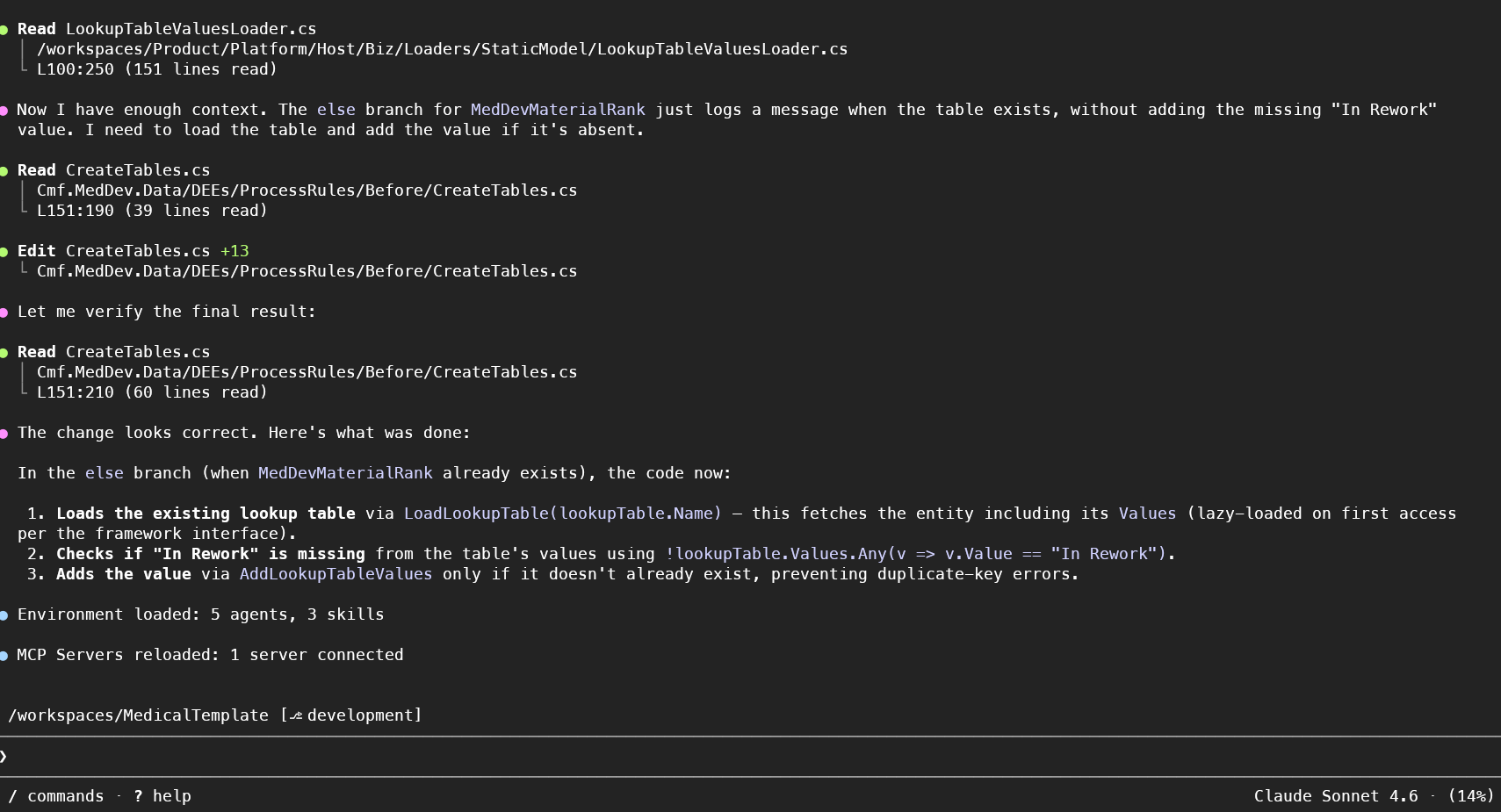
The AI generated the code to fix the bug, which I then reviewed and tested. The generated code was correct and fixed the issue as expected. This was a good indication that AI can assist in fixing bugs and generating code for simple tasks, even without a more structured and detailed approach.
Enhancement 2: Refactoring configuration within an existing feature
The second enhancement required a deeper refactoring of the Continuous Flows feature. If you check closely the documentation you can see that there are several feature flags that enable Continuous Flows and related functionality, such as re-evaluating ranks automatically or creating future merge actions at a later step in the flow. The goal was to implement an additional level of configuration, allowing the same feature flags to be enabled by context and not globally, if required. This allows greater flexibility and allows the activation of these features only for specific contexts. The following diagram shows the logic we wanted to achieve at the end.
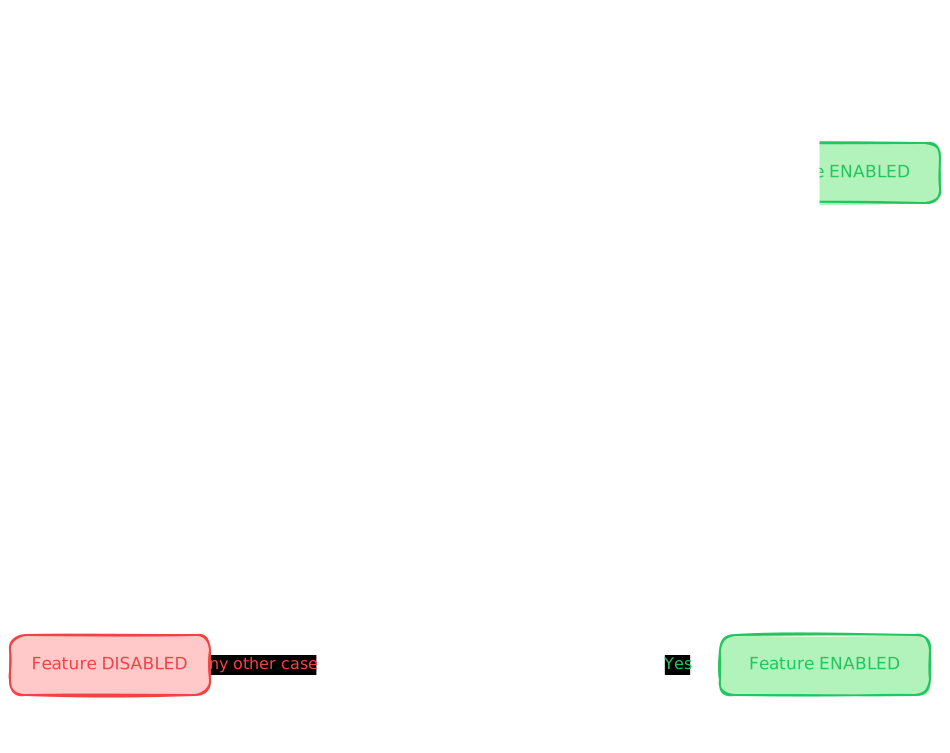
While functionally the change in itself is not very complex, it requires changes on several layers:
➡️ Renaming existing config entries to indicate they are now global settings
➡️ Migrating values of old configuration entries to the new ones, if applicable
➡️ Creating a new context smart table to store context-specific Continuous Flows settings
➡️ Refactor Business logic code (several DEEs) to implement the new logic described above, while ensuring that the existing logic is not broken and that the new logic is properly integrated.
➡️ Update existing unit tests and create new ones to cover the new logic.
While I could have just written a prompt describing the tasks, I wanted to try a more structured approach, following the Spec Driven Development (SDD) methodology. SDD is a methodology that focuses on writing detailed specifications for the desired behavior of a feature before implementing it. Teams write executable or reviewable specs that define as much as possible what the software should do. The spec documents are not static documents, but rather living documents that can be executed or reviewed to ensure that the implementation meets the specified behavior.
For this use case, I created a spec document with the following sections:
- Why and What: Short descriptions of why and what we are changing from a high-level standpoint.
- Constraints: Any musts and must nots that should be considered during the implementation. For example, if this was a feature written from scratch with external libraries dependencies, one could specify what library must or must not be used.
- Tasks: A detailed list of tasks that should be implemented to achieve the final result. In this case, each task corresponded to one of the layers mentioned above. Initially I had a final task regarding integration tests, but decided to remove it since it is better practice to have another developer implement them. For each task, I provided a detailed description of what should be done, and in some cases, guided the agent to which files should be modified.
- Validation: After the agent finished its tasks, it should perform some validations, mainly that the project builds successfully and that all unit tests pass.
Initial spec implementation
The following image shows a snippet of the specification file, showing the first part of the document.
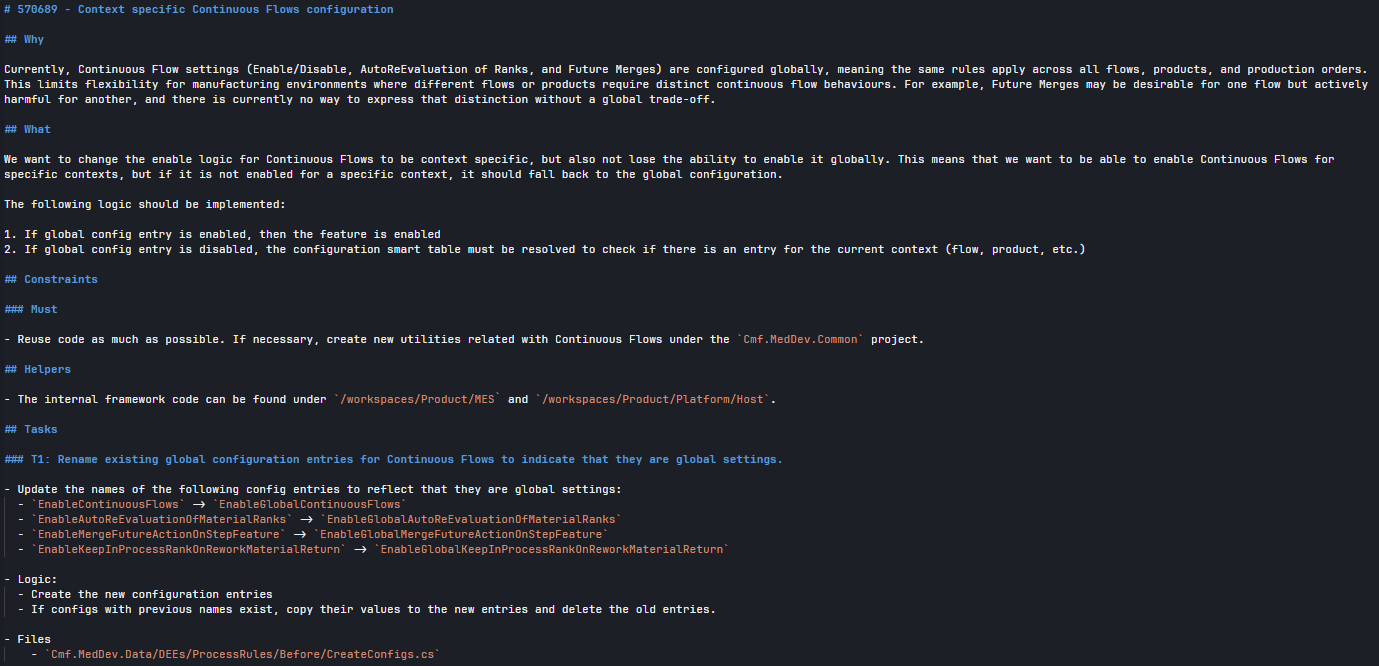
The prompt in this case was very simple: just reference the spec document and ask the agent for any clarification that it thinks is necessary.

Although I expected the agent to finish each task (reasoning and coding) before moving to the next one, it actually spent the first minutes thinking and reasoning about the entire list of tasks, and only then started implementing the first one. While the code was being generated, reviewed and accepted, I noticed a couple of issues:
- The agent was able to abstract the feature “enabling” logic to a common method that was then used across the code, which was good. However, in one particular case, it removed the previous feature enable check but it did not replace it with the new common method.
- In one case, it did not add the expected
usingnamespace statements in the file. Note that I fixed this manually while the agent was still working on the other tasks, but I believe in the final validation step, the agent would be able to identify that the code does not compile and fix the issue.
Changing the spec
The first version of the spec was implemented successfully, however two change requests were now required:
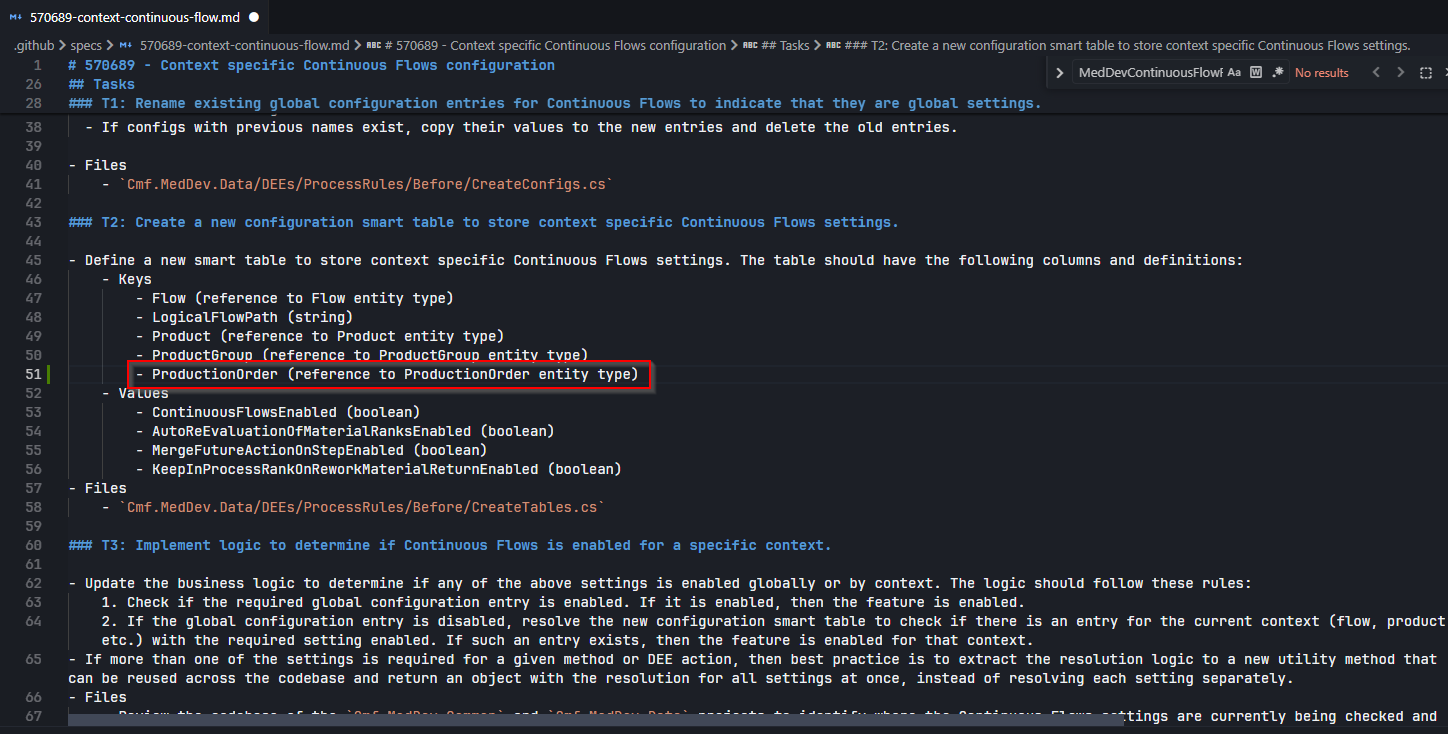
- After clarifying with the Product Manager, it was required to add the
ProductionOrderas key in the new context smart table. - The original spec did not include any details about updating documentation, both technical and functional (user guide).
For the first one, the change in the spec is straight forward. Just updating the smart table specification by adding the new ProductionOrder key and asking in the prompt for the necessary code changes to support the new key.
In this particular case, I ran the prompt using Plan mode. The agent was able to generate an execution plan to be reviewed, changed (if necessary) and accepted. In this case, the change was relatively simple, so the plan was straightforward and was accepted without changes.
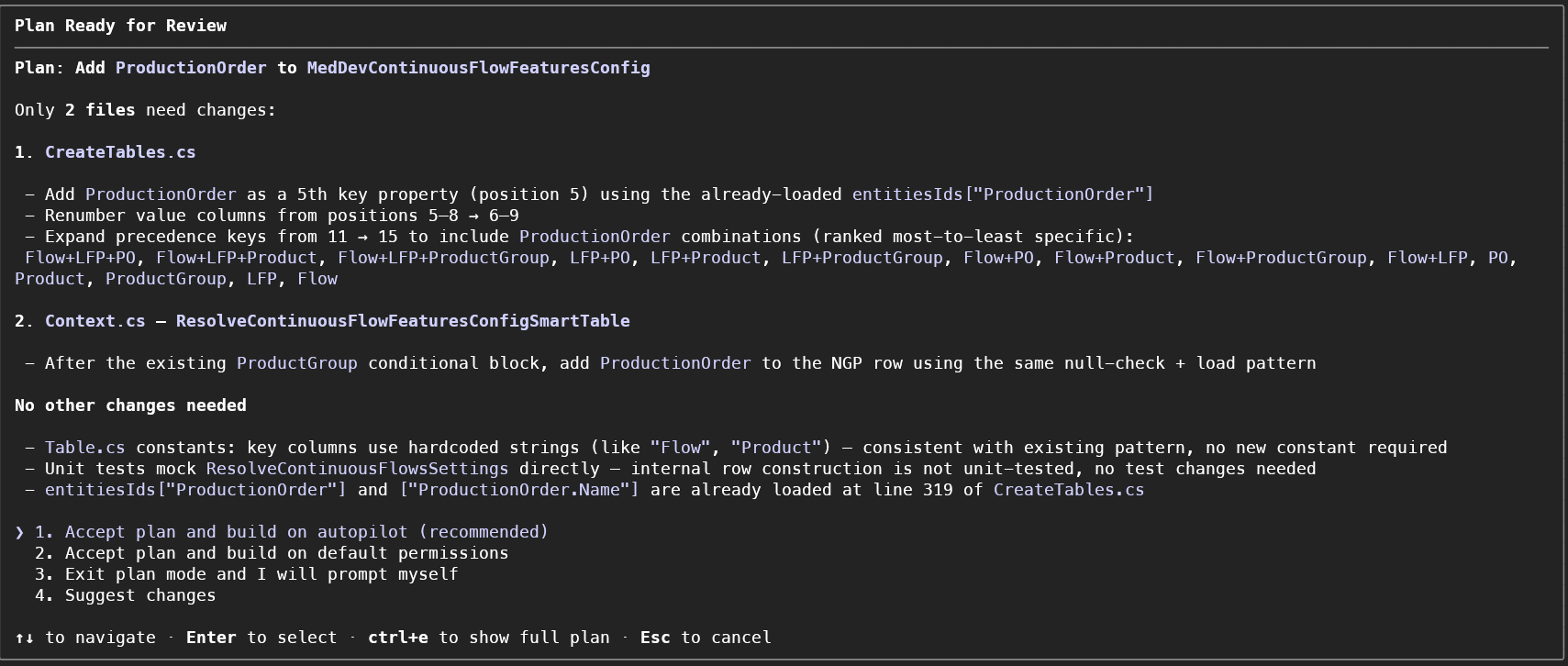
ℹ️ Agent vs Plan modes
It’s good to run the prompt in Plan mode for more complex changes. That was not the case here, but the model could return a plan that needs to be reviewed and adjusted before execution, which adds an extra layer of control to the process.
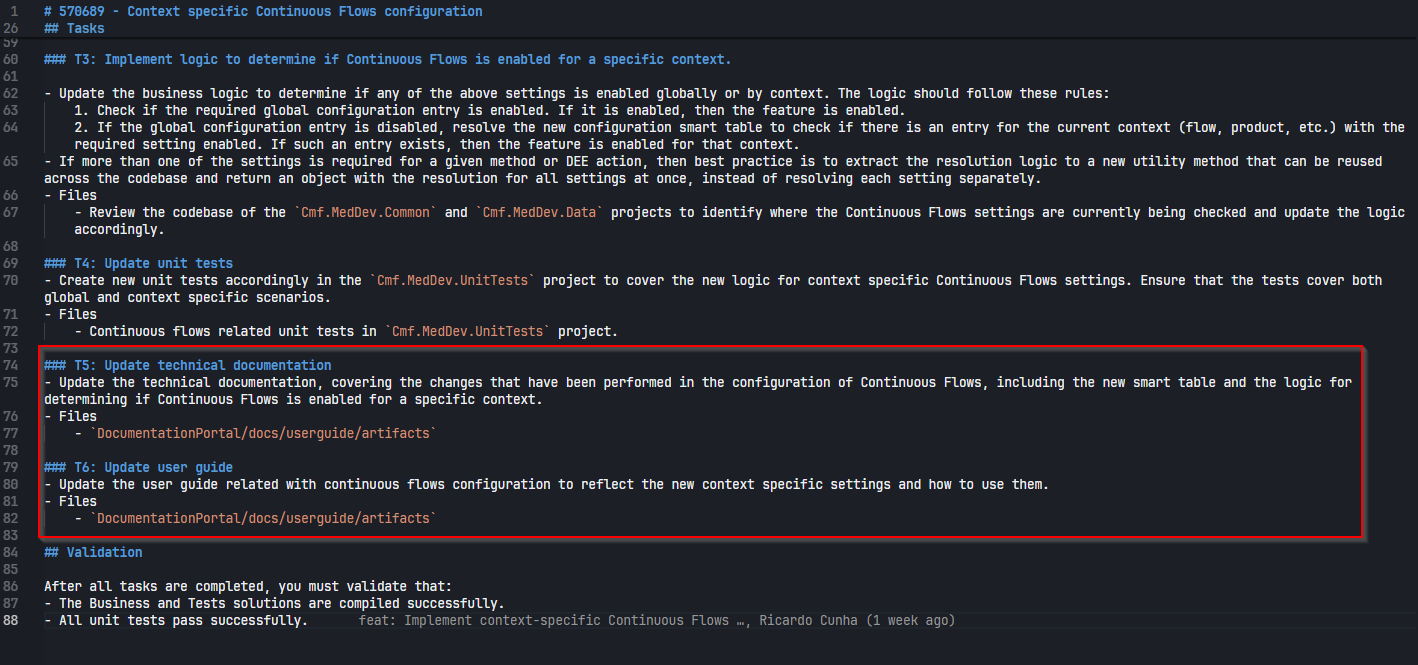
For the documentation, the spec was changed to add two new tasks, one for technical documentation and another for the user guide. After reviewing, a small change on the user guide was performed, in relation to the order of the sections, but overall the generated documentation was good and only required minor adjustments.
Conclusions
This experiment showed that AI can be a valuable partner in the development process, not only for generating code snippets but also for implementing more comprehensive features. The spec-driven approach provided a structured way to guide the AI through the implementation process. While the AI was able to understand the context and generate code for the tasks, it still required some level of supervision and review to ensure that the implementation was correct and met the specified requirements. Nevertheless, while the SDD-implemented feature would probably take a couple of days to finish in the “old days”, it was implemented in slightly over half a day, which is a good indication given this was a first experiment.
For future experiments, we could explore ways to improve these spec documents and how they would behave on more complex features or even features developed from scratch. We can also improve our prompts and see how the model behaves, for example being explicit on completely finishing one task before moving to the next one, or asking for a more detailed execution plan before starting the implementation.
Always remember to review and understand what the AI generates.
Resources
You can download the final version of the spec document here.
Author
Hi! My name is Ricardo Cunha. ✌️
I joined Critical Manufacturing back in 2013. I started my journey as a Software Engineer, progressed to Tech Lead, and currently serve as Engineering Lead in the Medical/Life Sciences segment in Solutions Delivery area, as well as Team Lead for the Medical/Life Sciences template team.
You can check me on LinkedIn