Did you know you can avoid heavy data polling in MES and still keep operators fully synchronized?
In most manufacturing facilities, MES tracks everything that happens, but keeping UIs aligned and operators informed often relies on constant service calls, manual refreshes, or polling strategies that stress the system. This not only creates unnecessary load but also increases the risk of mistakes when information is slightly outdated.
The message bus offers a smarter approach. While commonly used for IoT communication or cache invalidation, it can also serve as a powerful tool for real-time synchronization between MES components. By publishing updates to a subject and letting other systems subscribe, you can push changes instantly instead of waiting for refreshes.
In this blog post, we’ll explore how to take advantage of the message bus in several practical scenarios to keep MES components in sync and operators always up to date.
What is the message bus and how does it work
Message bus is a high-performance publish/subscribe application that uses a subject-based address system.
This means that for a given subject there can be publishers and listeners: a publisher sends a message, and that message is broadcast to all subscribed listeners. A quick demonstration can be done in the MES UI using the MessageBus on the Administration page.
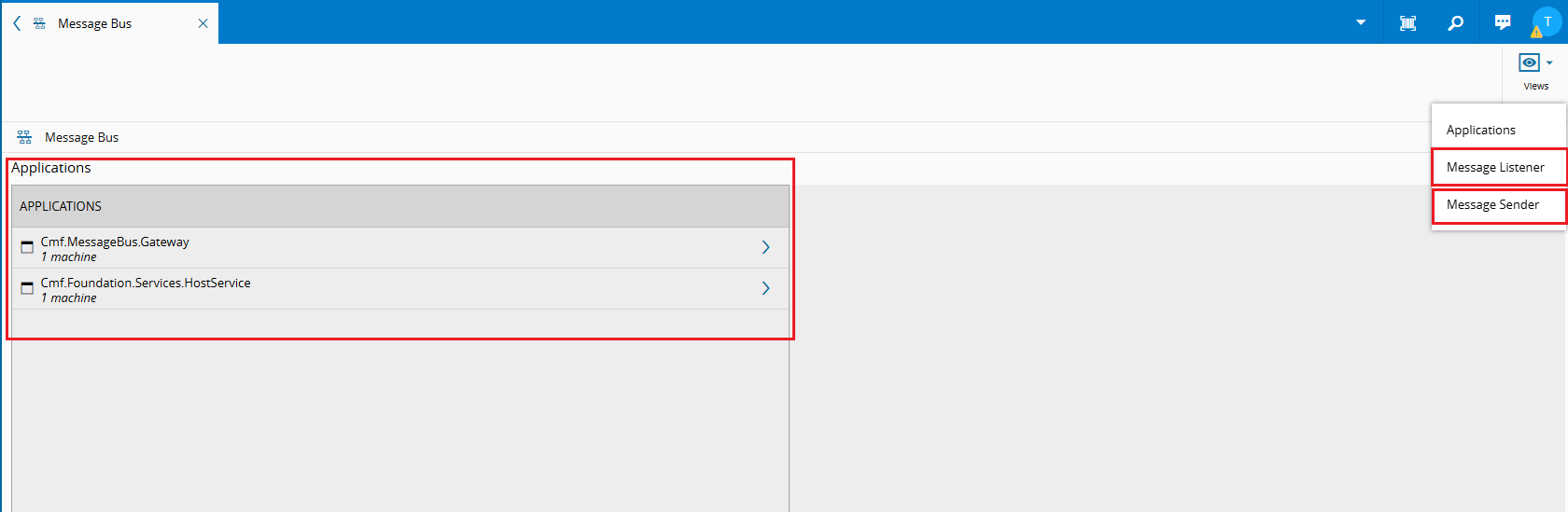
On this page we can see all applications currently subscribed to any subject. The views button allows switching between the Message Bus Listener and the Message Bus Sender.
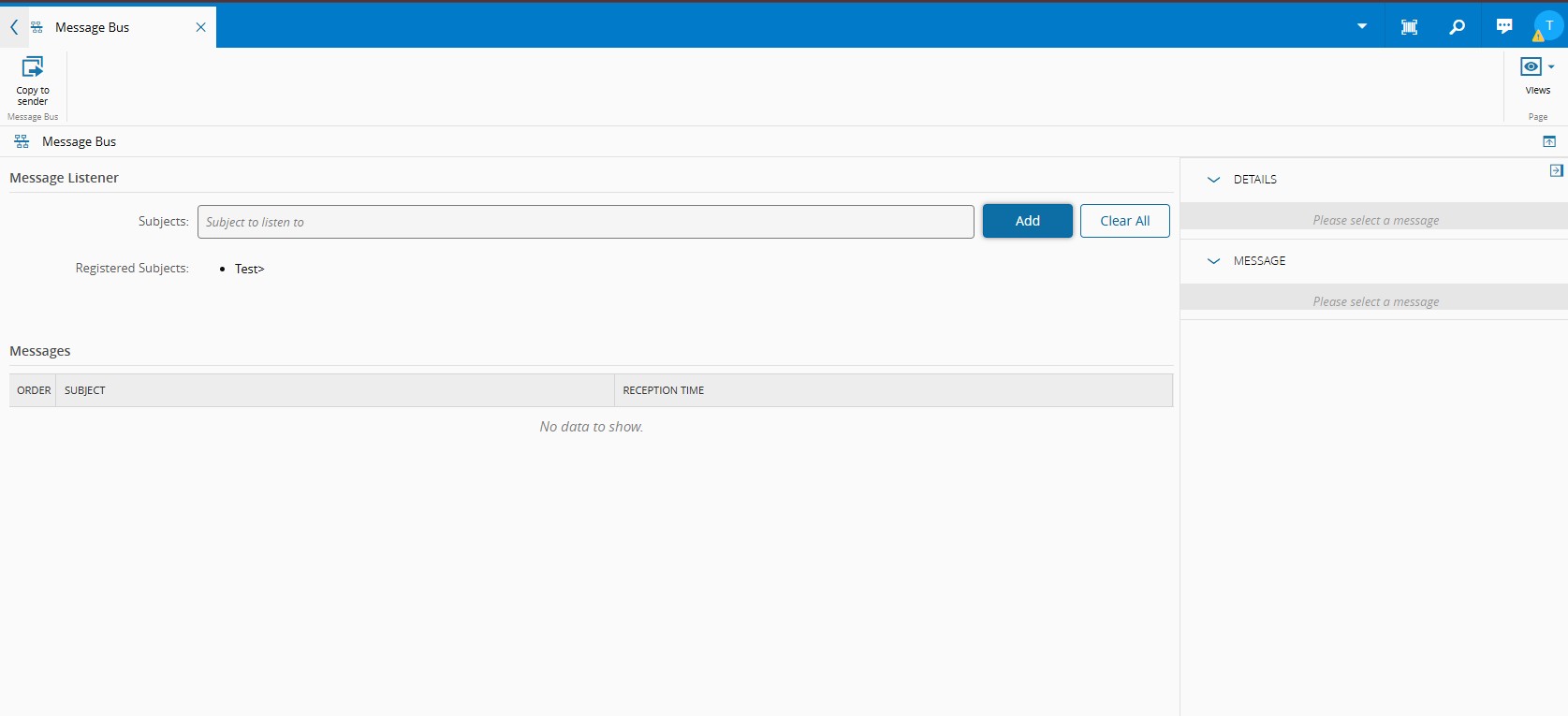
The Message Bus Listener lets us subscribe to any subject and see all messages sent to them. Wildcards are supported when subscribing to subjects, which helps keep subjects organized and allows partitioning by leveraging a listener that receives messages from multiple subjects while still knowing the source subject.
| Wildcard | Definition |
|---|---|
* | Accepts all values for one token, e.g.: A.*.B |
> | Accepts all values and tokens beyond the wildcard, e.g.: A.> |
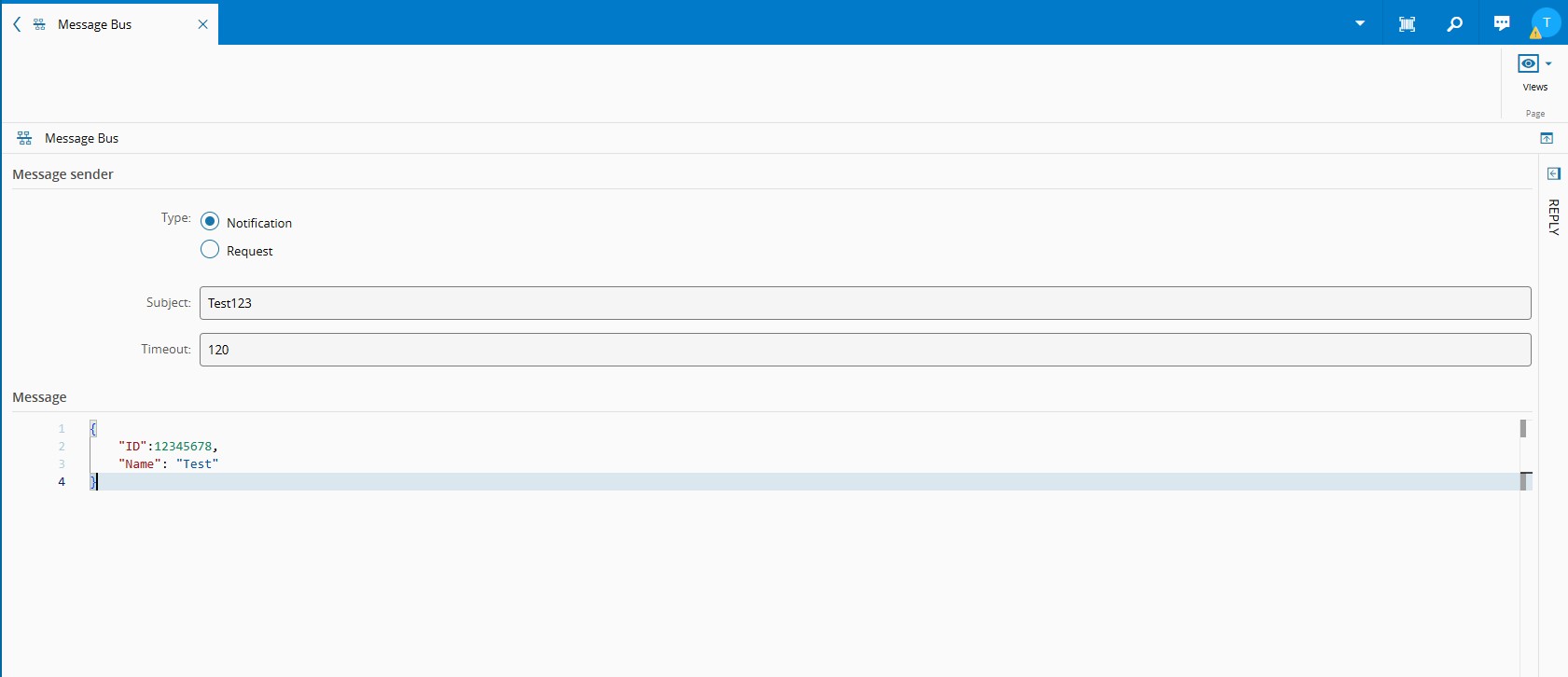
The Message Bus Sender allows publishing messages to a specific subject. There are two types of publishing: Notification and Request.
Notification is a message sent to a subject that does not expect a reply. Only the subject needs to be filled, and Timeout can be ignored.
Request is a message that expects a reply. In this case, Timeout is mandatory. When a request is sent, it waits for the defined number of seconds for a reply; otherwise, it fails.
For UI synchronization we will use Notification because it’s low-latency and we typically do not need synchronous acknowledgement.
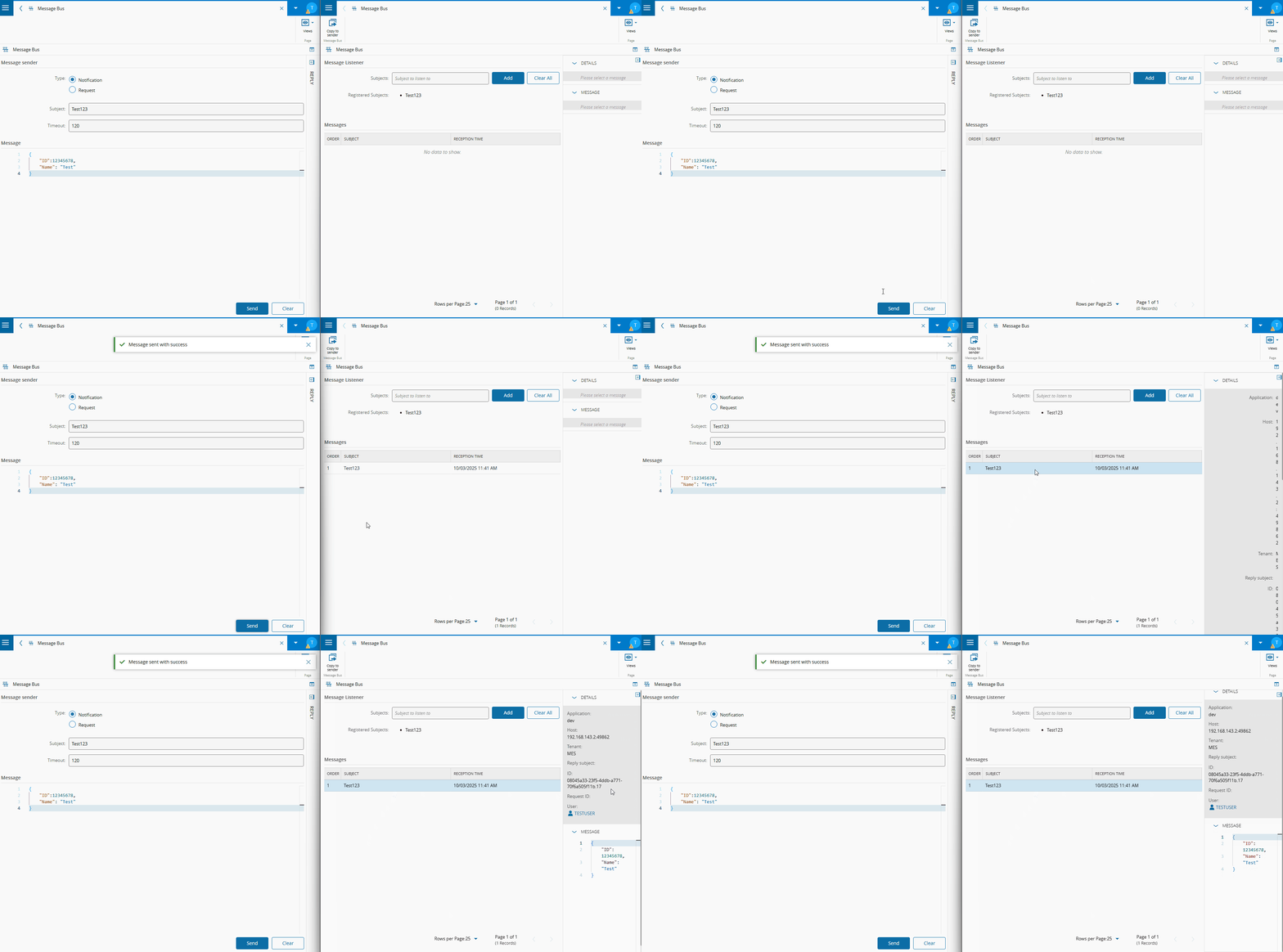
With this setup, we can open two MES tabs: one on the Message Bus Listener and another on the Message Bus Sender. On the Listener we subscribe to a subject, then on the Sender we publish a message to that subject. In real time, the Listener will display the message as soon as it is received.
Message bus use cases
Now that we have covered the basics of how the message bus works, let’s look at some practical scenarios where it can be leveraged.
Several users on the same cockpit
It is common for multiple operators to work at the same workstation or machine. Each operator may use their own device, but if the cockpit information is not kept up to date, they can easily become desynchronized, leading to mistakes.
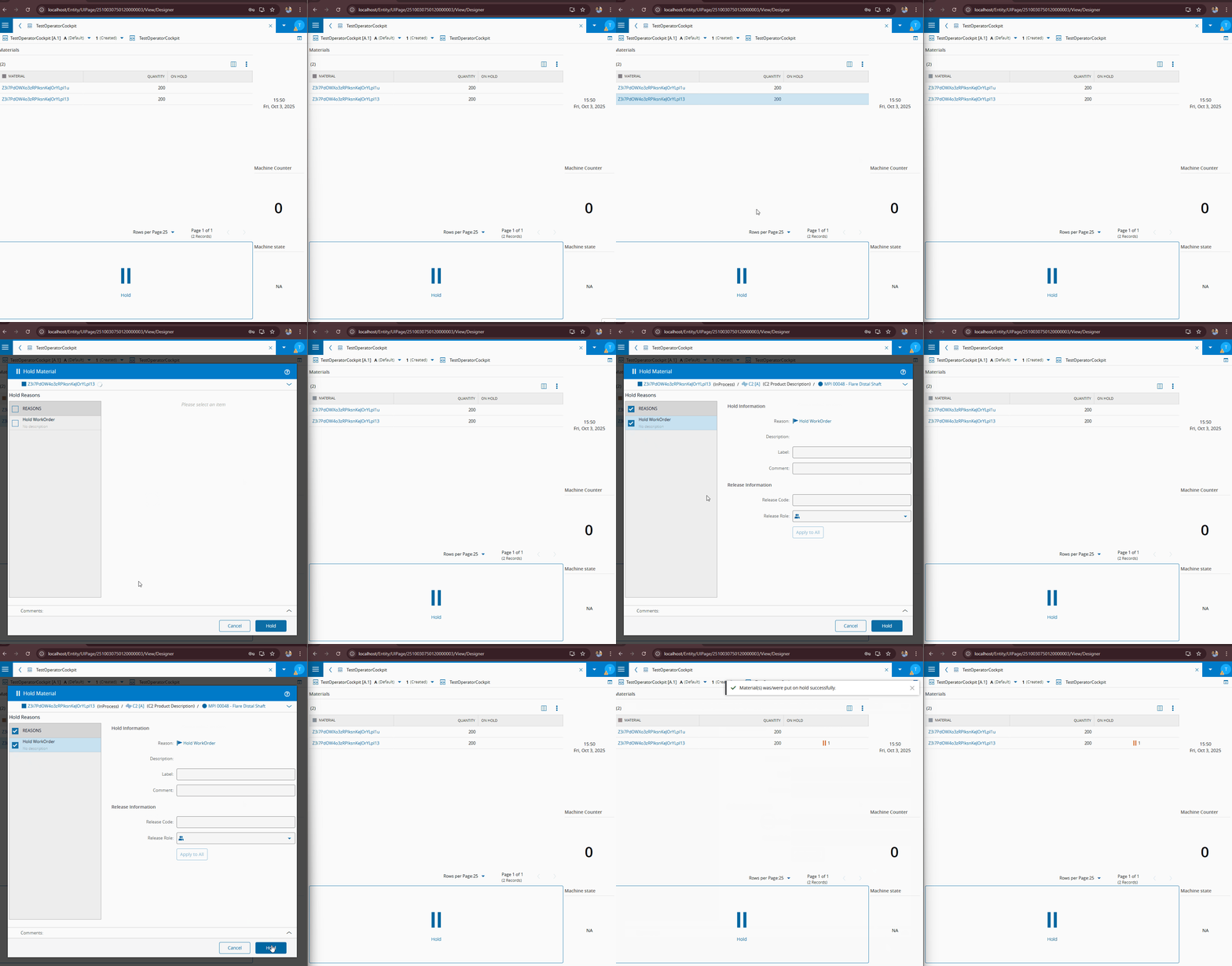
For example, imagine several operators working at a workstation with a cockpit that lists available materials. One operator puts a material on hold. Another operator does not refresh MES and fails to notice, starting to work on the same material. This mistake could be avoided with real-time synchronization.
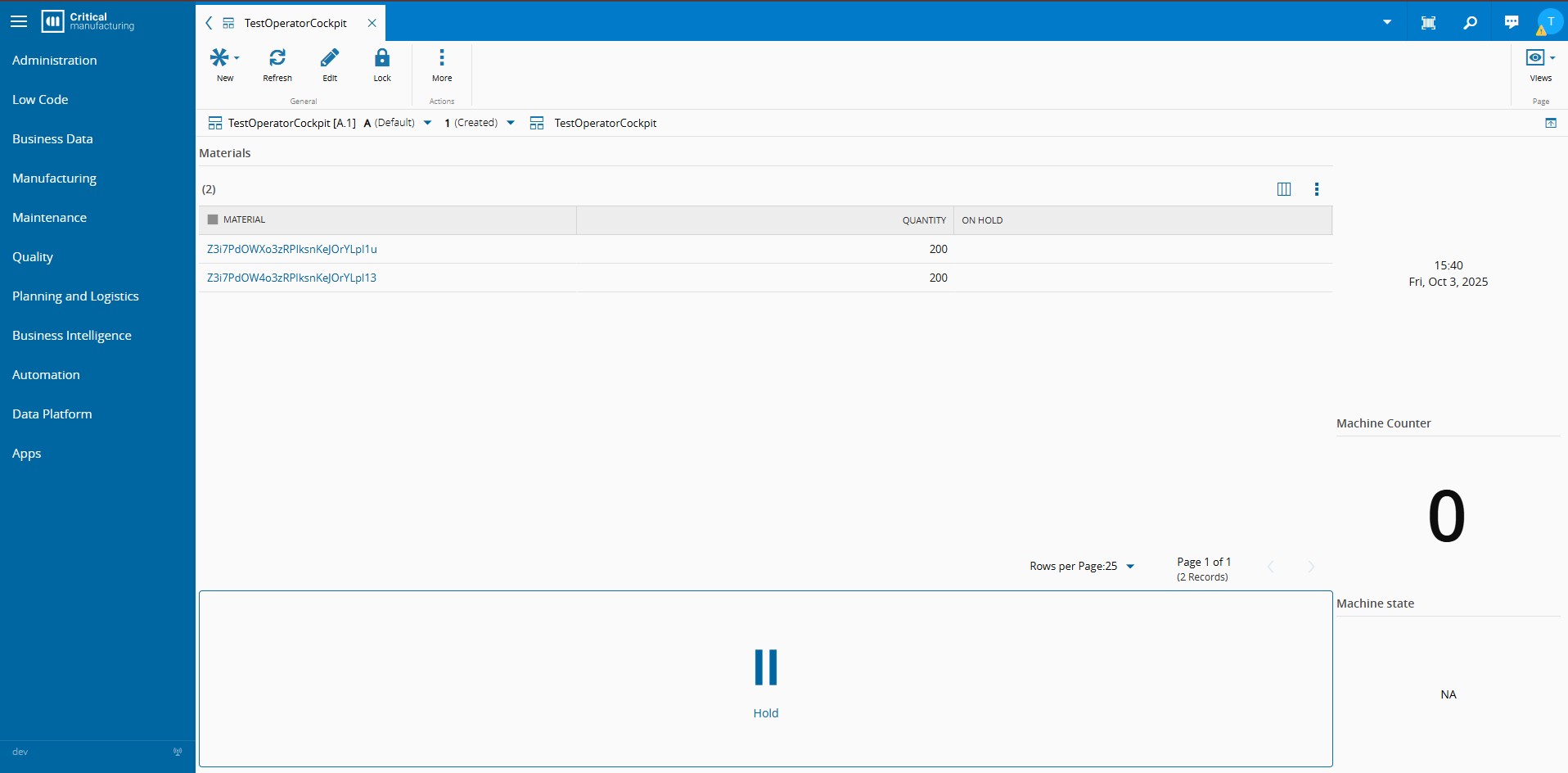
To achieve this synchronization with the message bus, we need to publish the updated object data to a subject whenever a material is updated. The UI must subscribe to that subject and, when a message is received, update the grid data automatically.
On the business side, a simple DEE can fetch all updated resource tracked in materials when one is put on hold and publish the updated data through message bus to a resource-specific subject, e.g. Cockpit.MaterialUpdate.ResourceName.
Sample utility code to publish to message bus:
/// <summary>
/// Publishes a message to the different areas of the Cockpit.
/// </summary>
/// <param name="messageSubject">The subject of the message.</param>
public void PublishMessageToCockpit(string messageSubject, object data = null)
{
    if (data == null)
    {
        _utilities.PublishMessage(messageSubject);
    }
    else
    {
        _utilities.PublishMessage(messageSubject, JsonConvert.SerializeObject(data, new JsonSerializerSettings
        {
            ReferenceLoopHandling = ReferenceLoopHandling.Ignore,
            PreserveReferencesHandling = PreserveReferencesHandling.Objects
        }));
    }
}

Note: _utilities is an instantiation of IUtilities.
The UI then needs a data source of type MessageBus, subscribed to the same subject Cockpit.MaterialUpdate.ResourceName. Whenever biz publishes a message, the data source outputs it to Changed Data. Linking that output to the grid data ensures it updates whenever new messages arrive.
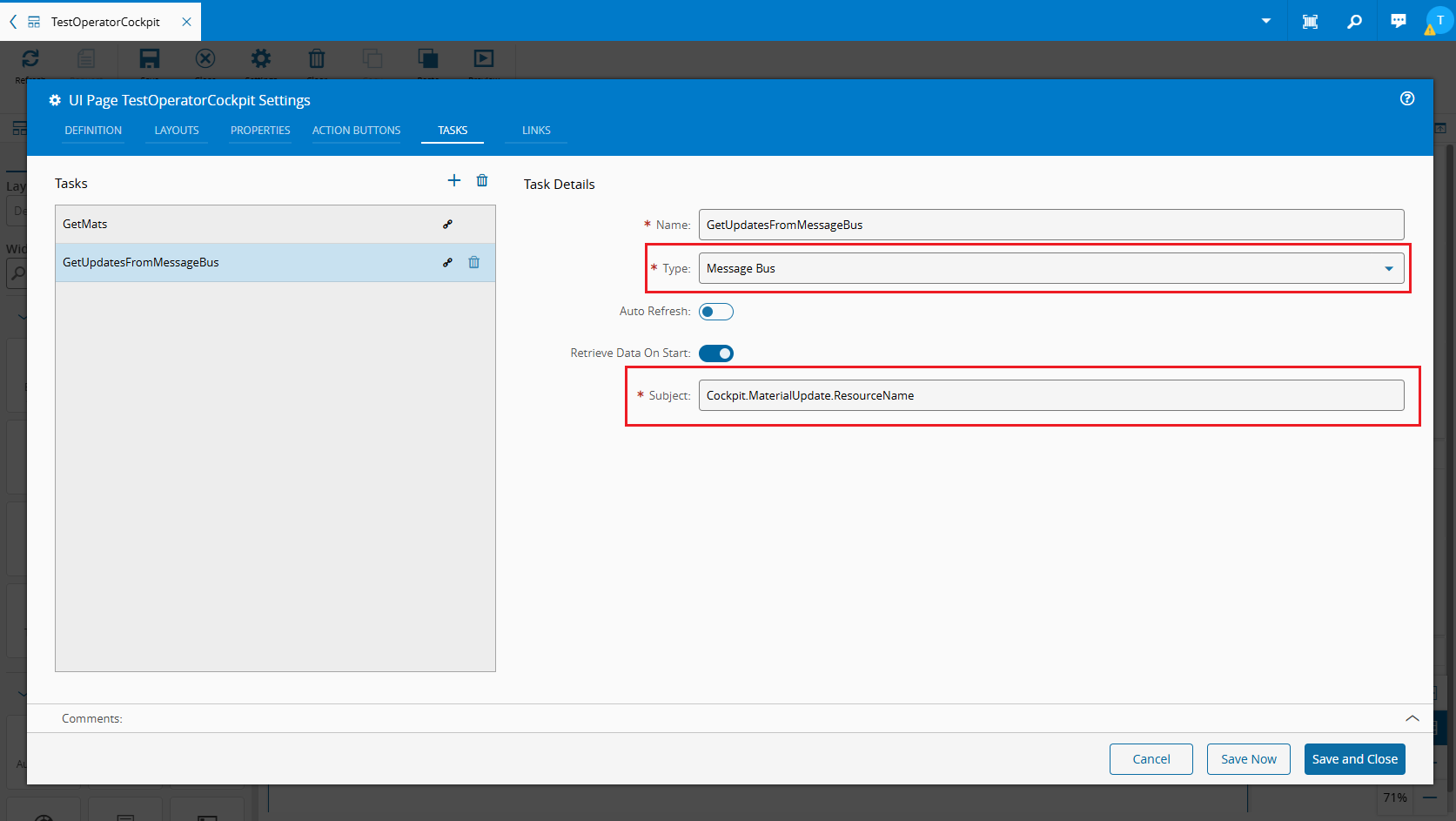
This way, all materials are loaded once and distributed to every UI for that resource, instead of each operator refreshing their UI individually and creating unnecessary load.
Note: If a message is published during a transaction, it will only be sent after the transaction completes. If the service fails, the message will not be published, ensuring that incorrect data is not displayed on the UI.
Real time machine information
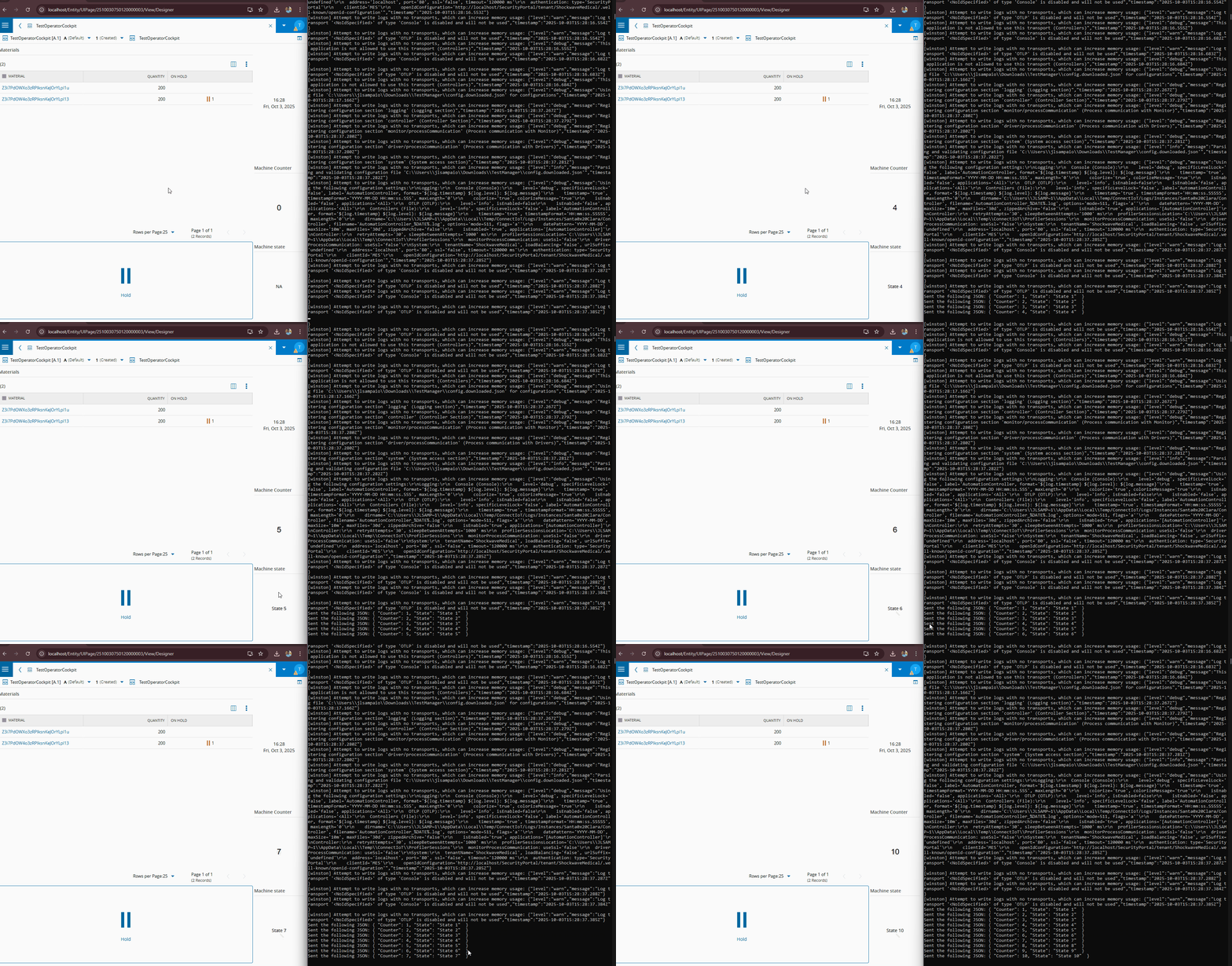
Operators often need to monitor machine information such as counters and states. Keeping this data up to date in the cockpit can be challenging. Refreshing the UI every second would overload the system with service calls, and IoT typically does not call MES services every second either. As a result, frequent refreshes still may not provide updated values.
Here, the message bus is extremely useful. IoT can send machine state updates and counter values directly to a subject in real time, bypassing the host completely. The UI listens to that subject and updates automatically.
For demonstration a simple controller was built that sends an incremental counter and state every second to a message bus subject, the UI listens to that subject and assigns the correct property of the Json to each text box using Any To Any Property converter.
Important: this approach should only be used for lightweight data synchronization, not for full data collection. For collecting machine data such as telemetry, the MES Data Platform is the appropriate solution.
Keeping cache consistent
Caching mechanisms are common on the host, especially in scalable environments. To ensure consistency across multiple replicas, the message bus can be used to invalidate or update cache in real time.
Synchronizing data from other systems
Message bus integration is included with MES LBOs. Any system using these LBOs can publish and listen to subjects. This enables scenarios such as updating MES UIs from third-party applications or updating third-party applications with IoT or host information.
This method should only be used for synchronization, not for heavy data transfer. For transferring and storing data, the MES Data Platform is the recommended solution, as it is designed to handle large loads efficiently.
For more information on how to implement this solution check the message bus documentation on the developer portal.
Conclusion
The message bus, while often overlooked beyond IoT and cache invalidation, is a versatile tool for achieving real-time synchronization across MES components. By leveraging its subject-based publish/subscribe model, operators and systems can stay aligned without unnecessary refreshes or service calls. Whether synchronizing multiple cockpits, delivering live machine information, keeping cache consistent, or integrating with external systems, the message bus provides a lightweight and efficient way to ensure data consistency.
Used correctly, it reduces system load, minimizes operator errors, and enables a smoother flow of information across the manufacturing environment, making it a valuable component in any MES architecture.
Author
Hi! My name is José Sampaio. ✌️
I’m a Software Engineer at Critical Manufacturing, working in the Solution Delivery area.
You can find me on LinkedIn.